Auto-draw parcel
Draws a parcel's cadastral boundary with one tap instead of tapping its corners. Pro Korea only
This feature uses South Korea's national cadastral map. Outside Korea there is no parcel data, so measure by tapping points or walking.
One parcel — long press
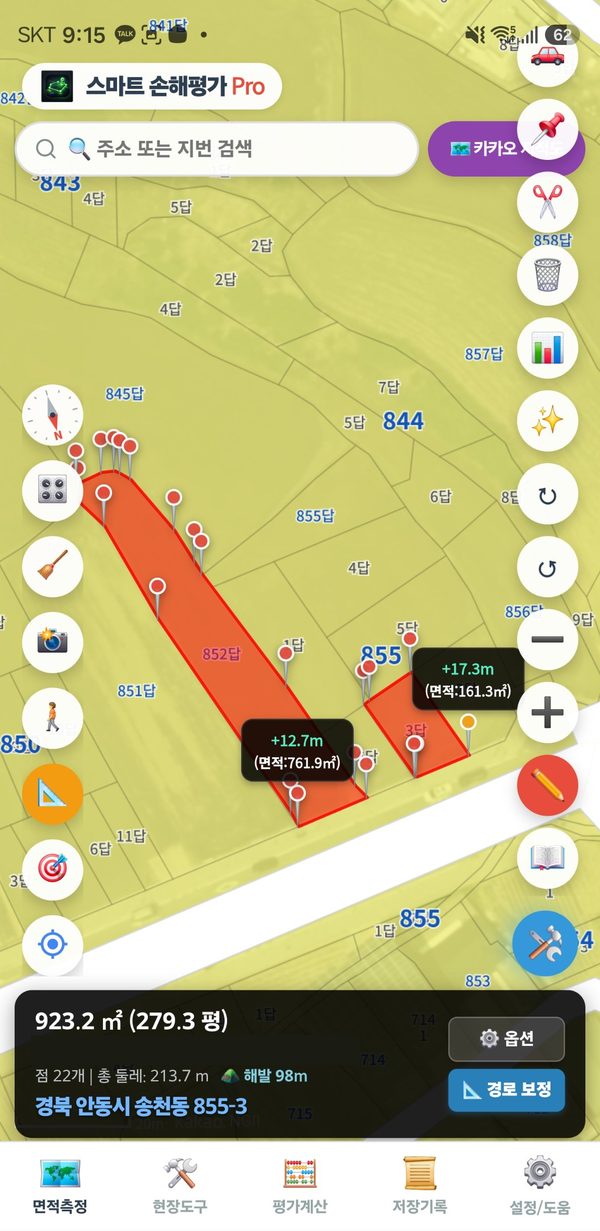
- Press and hold inside a parcel for 1–2 seconds. Its boundary is drawn as a red zone.
- Check the area in the status bar.
Even if other zones are already drawn, a long press adds the parcel as a new zone.
Several parcels — auto-draw button
- Tap “🛠️” at the bottom right → “✨ Auto-draw parcel”.
- While the button is on, tap parcels one after another. Each tap adds one parcel and the areas are added together.
- When finished, tap “✨ Auto-draw parcel” again to turn it off.
Screenshot
Fitting the parcel to the actual field
If only part of the parcel is farmed, or the boundary does not match reality, adjust it with “✂️ Point edit”: tap the boundary line to add a point and drag points to move them. See Point edit.
If you also draw the same parcel by walking, the overlapping part is counted only once.
When it does not draw
- Long public strips such as roads, ditches, rivers and railways are not drawn automatically. Tap their corners by hand.
- Without internet the parcel data cannot be loaded.